

Rental Booking
Let customers reserve equipment online — booked, tracked, and ready to go See the Live DemoView DocumentationTurn idle equipment into revenue. Rental Booking lets customers reserve surfboards, kayaks, bikes, tools, party equipment — anything in your catalog — straight from a public booking page. No phone calls, no back-office spreadsheets. Set your rates once, and Pointless POS handles availability, reservations, and returns automatically, fully in sync with your point of sale.
How It Works
1. Set Up Rentals
Enable the rental service, mark an item type as rentable, and configure time-based rates using Price Categories and Unit Types — hourly, daily, or any interval you choose.
2. Customers Book Online
No login required. Customers pick pick-up and return dates, browse by category, choose a rate and quantity, and pay — all from your public booking page, checked against real-time availability.
3. Manage From the POS
Staff reserve, check out, and return rentals right from the order screen with dedicated function buttons — so inventory is always accurate and nothing gets double-booked.
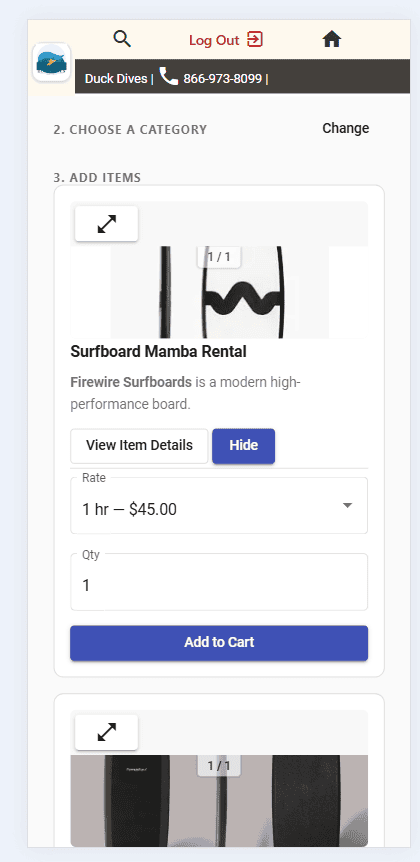
Pick a rate, set the quantity, add to cart
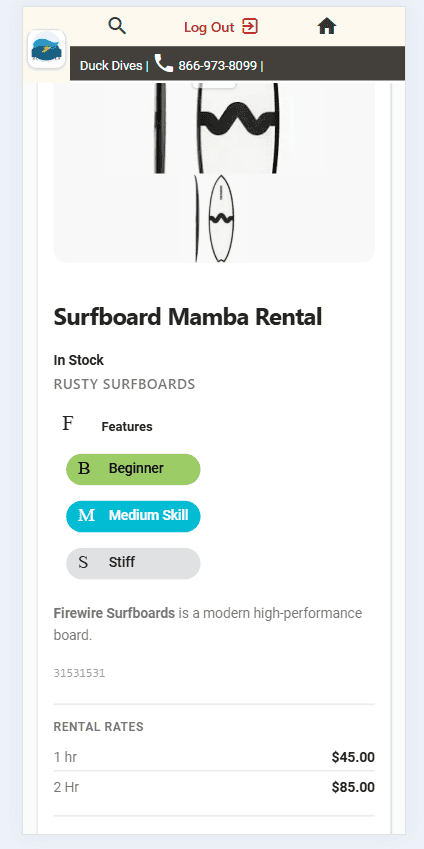
See features, tags, and rates before booking
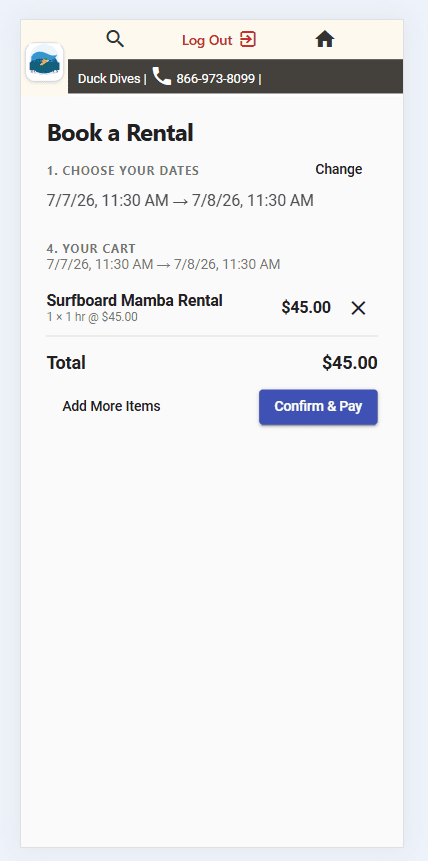
Review the cart, then confirm & pay
Key Features
Real-Time Availability
Inventory is held the moment a rental window is booked, so the same item can never be double-booked for overlapping dates.
Flexible Time-Based Rates
Price by the hour, the day, or any custom interval. Every item can offer multiple rates side by side.
No Login Required
Customers browse, book, and pay from the public booking page — no account creation, no friction.
Full Lifecycle Tracking
Every order moves through Reserved, Handed Out, and Returned — so staff always know exactly what’s out and what’s due back.
One-Click Check-Out & Return
Reserve Rental, Check Out Rental, and Return Rental function buttons handle the whole workflow from the POS order screen.
Built For Any Rental Business
Surfboards, kayaks, bikes, tools, party equipment — if it’s in your catalog, it can be rented, priced, and tracked.
E-Signature Rental Agreements
Get rental agreements signed before equipment leaves the shop. Details fill in from the customer record, customers sign on any device, and the signed copy is saved to their account. Learn more →
See It In Action
We built a working example for a surf shop — pick rental dates, browse boards and gear by category, choose a rate, and check out. Try the exact flow your customers will use.