
Point of Sale · Manufacturer Discounts
mKonnekt Tobacco Discounts
Automatic, manufacturer-funded discounts on tobacco and nicotine products — applied at the point of sale with no manual coupon entry.
About mKonnekt – Scan Data Discounting Solution.
mKonnekt is a discount service that automatically finds manufacturer-funded discounts on tobacco and nicotine products at the point of sale. When a qualifying product is rung up, the system checks with mKonnekt and applies any discounts the manufacturer is currently offering — no manual coupon entry, no memorizing which brands are on promotion.
You don’t need to track any of that yourself. mKonnekt knows which products belong to which manufacturer and what each is offering that week.
Improve your operations and reimbursement process.
No manual coupon entry
Discounts apply automatically at checkout — nobody has to know which brands are running a promotion this week.
Always current, zero re-pricing
Promotions live on mKonnekt’s side, not your catalog. When a manufacturer changes their offer, it’s reflected instantly — no price updates on your end.
Three ways customers save
Multi-unit allowances, loyalty fund discounts, and manufacturer buydowns — a single item can qualify for more than one at once.
Manufacturer-funded, not your margin
The discount comes from Altria or RJR, not your bottom line — you’re not giving away profit to run these promotions.
See It In Action
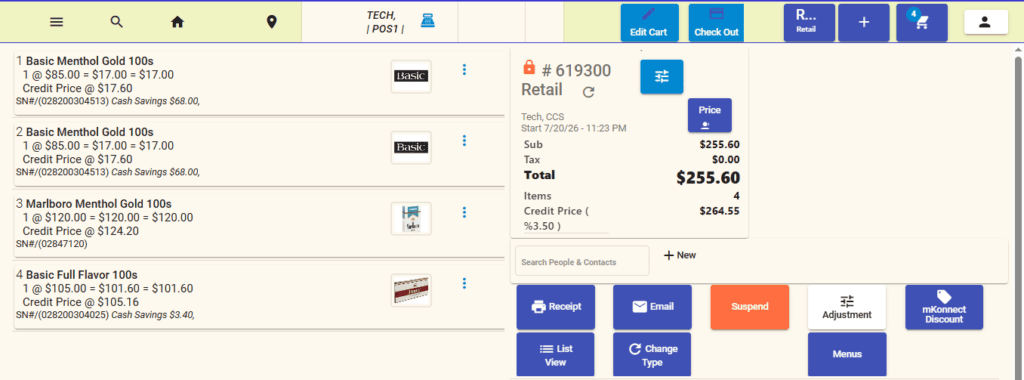
Discounts apply automatically at checkout — no manual coupon entry. (Click to enlarge)
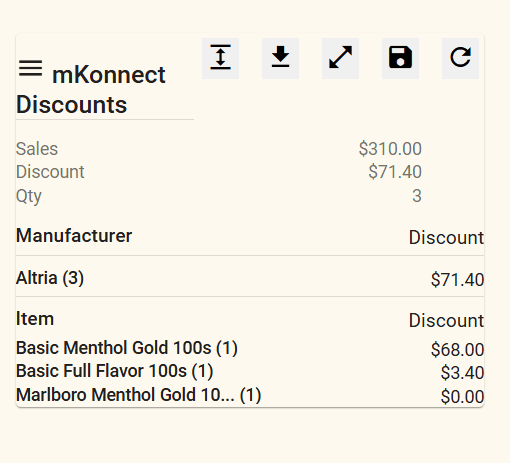
A clear summary of mKonnekt discounts applied, at a glance. (Click to enlarge)
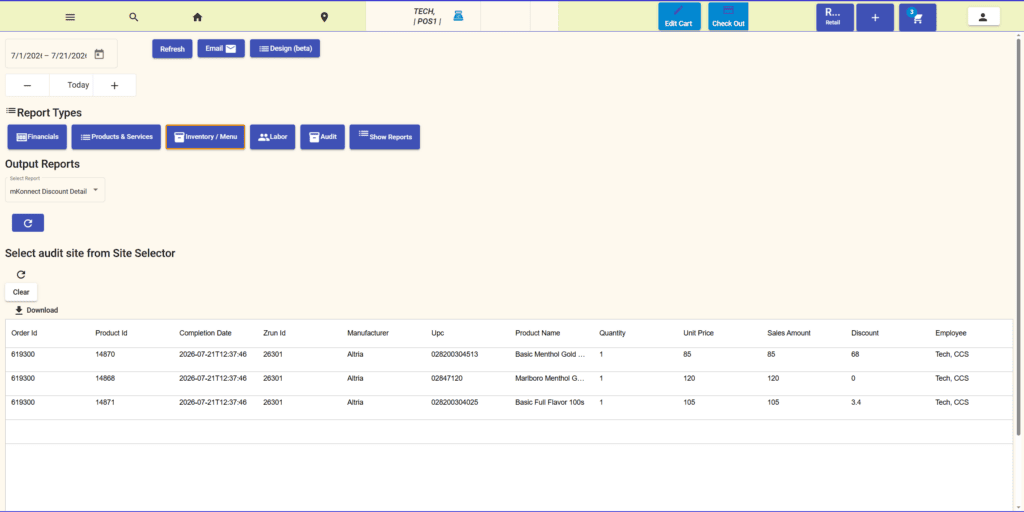
Full itemized detail behind every discount applied. (Click to enlarge)
What You’ll Need
- A store RCN (Retail Control Number), provided by mKonnekt
- Your catalog enabled on mKonnekt’s side for that RCN
- Correct product barcodes (UPCs) on your tobacco items
- Optional: a loyalty/mobile number at checkout to unlock loyalty-type discounts
Ready to turn it on? The full setup and day-to-day usage guide — enabling it, applying discounts at the register, and troubleshooting — is in the docs.