

Lesson Scheduling
Let customers book lessons online — matched with the right instructor, every time See the Live DemoView DocumentationTurn open instructor time into booked revenue. Lesson Scheduling lets customers browse your lesson offerings, pick an open date and time, and book instantly online — no phone tag, no back-and-forth. You control start times, capacity, and instructor availability; Pointless POS handles the rest.
How It Works
1. Set Up Lessons
Set daily start times and booking rules — buffer minutes, cutoff hours, and booking horizon — then create offerings linked to your inventory items: duration, party size, private or group.
2. Customers Book Online
No login required. Customers pick a lesson, choose an open date and time, and book — all checked live against instructor availability and slot capacity.
3. Manage From the Staff Calendar
View slots by day or week, assign or remove instructors, and track fill counts and status — all from one calendar view.
Watch: Setting Up Lessons
A quick walkthrough of configuring lesson offerings, schedules, and instructor availability in Pointless POS.
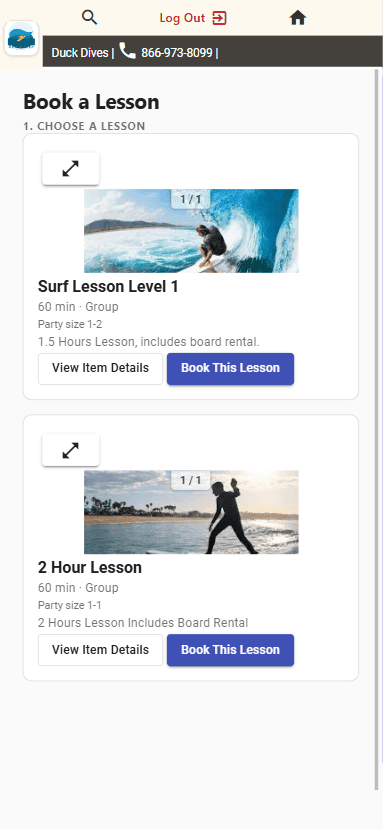
Browse lessons by duration, type, and party size
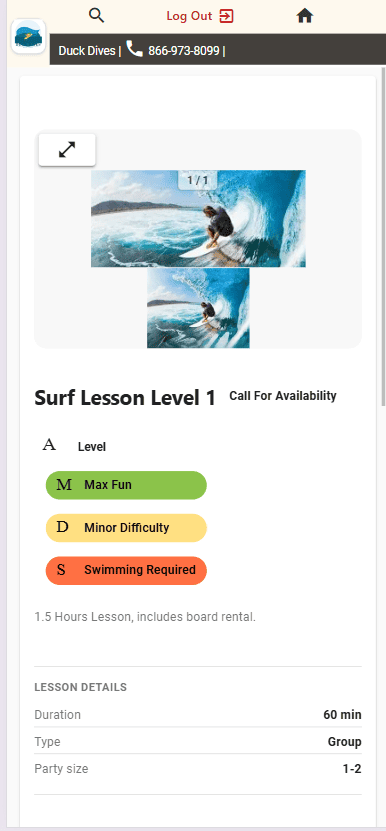
See level, duration, and party size before booking
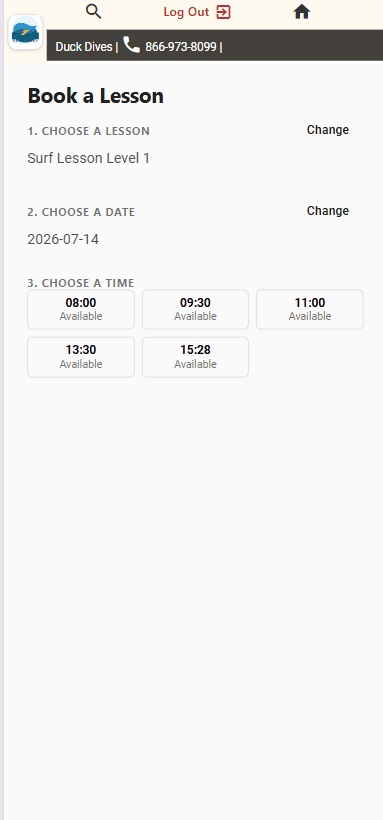
Pick an open date, then an available time slot
Key Features
Flexible Scheduling Rules
Set daily start times, buffer minutes between lessons, booking cutoff hours, and how far out your calendar opens.
Private & Group Offerings
Link lessons to inventory items with duration, party size limits, and student:instructor ratios — private or group.
No Login Required
Customers browse, pick a time, and book straight from the public booking page — no account creation, no friction.
Automatic Slot Generation
Generate bookable slots in bulk for any date range. Safe to re-run — existing slots are skipped, never duplicated.
Instructor Availability & Closures
Weekly schedules, one-off adds and blackouts, and shop-wide closures all factor into what’s bookable — automatically.
Staff Calendar at a Glance
Day or week view of every slot, with fill counts, instructor assignments, and status — all in one place.
E-Signature Waivers
Send waivers of liability from the customer’s record before the first lesson. Details fill in automatically, customers sign on their phone, and the signed copy is saved to their account. Learn more →
See It In Action
We built a working example for a surf lesson shop — pick a lesson, choose an open date and time, and book. Try the exact flow your customers will use.